1
/
of
8
ANCEL
ANCEL FD500 OBD2 Scanner for Ford, Lincoln, Mercury, Battery Registration
ANCEL FD500 OBD2 Scanner for Ford, Lincoln, Mercury, Battery Registration
Regular price
$159.49 USD
Regular price
Sale price
$159.49 USD
Shipping calculated at checkout.
Quantity
Couldn't load pickup availability
About This
- Maximize Value Without Overpaying - Why spend $200+ on scanners that can’t fully support your Ford Lincoln Mercury? Unlike generic tools, this Ford-specific scanner delivers full-system diagnostics for Ford Lincoln Mercury (1996 onward), covering more models and series with better compatibility, plus 4+ key special functions and life-time free updates, it helps you catch issues early, save money, and confidently maintain your car at home
- All Systems Diagnostics For Ford - The ANCEL FD500 is a dedicated tool for Ford excellence. Effortlessly read and clear trouble codes from every vital system—Engine, ABS, SRS, Transmission, HVAC, 4WD, and more. Meticulously crafted for Ford Group vehicles, it stands as the go-to solution for both owners and repair shops. Elevate your diagnostics, ensure peak performance, and keep your Ford running smoothly with this professional-grade scan tool
- Advanced Ford Service features - This isn't just a generic obd2 scanner, it's your specialized partner for Ford Group Vehicles. Experience advanced features like Throttle (KAM) and Oil Reset, Electronic Parking Brake (EPB) Maintenance Mode, and Battery Registration—all in one powerful tool. Elevate your diagnostics and maintenance game, ensuring your Ford vehicle receives the precision care it deserves
- Enhanced Compatibility For Ford Excellence - Unleash the full potential of your post-1996 Ford Group vehicles, including the dynamic Edge, versatile Ecosport, sturdy F-Series ( F150, F250, F350, F650, F750), MKC, Blackwood, Zephyr, MKZ, Montego, Milan, Cougar and more. Drive with confidence knowing your vehicle is equipped for peak efficiency and responsiveness. For better vehicle compatibility, check unit's latest update status
- Power Up Your Drive With Confidence - Essential for replacing a damaged or aging car battery with a new one: Perform a battery reset fit for ford by first turning the ignition on, engine off, checking the dashboard for diagnostic mode confirmation. Recommend replacing with an aftermarket battery matching specifications in capacity and type for prolonged battery life and consistent vehicle reliability. Experience the ultimate in efficiency and confidence on the road
- User Friendly Design - The ANCEL FD500, featuring a user-friendly interface, compact design, and an affordable price, is the ideal tool for both car owners and mechanics. With test results displayed on the 2.4" TFT color LCD screen, data is easily understandable. Suitable for both beginners and professionals, no prior car knowledge is required
Overview
- Brand : ANCEL
- Power Source : Battery Powered
- Operating System : Works with Win7/8/10; not compatible with MAC systems.
- Screen Size : 2.4 inches
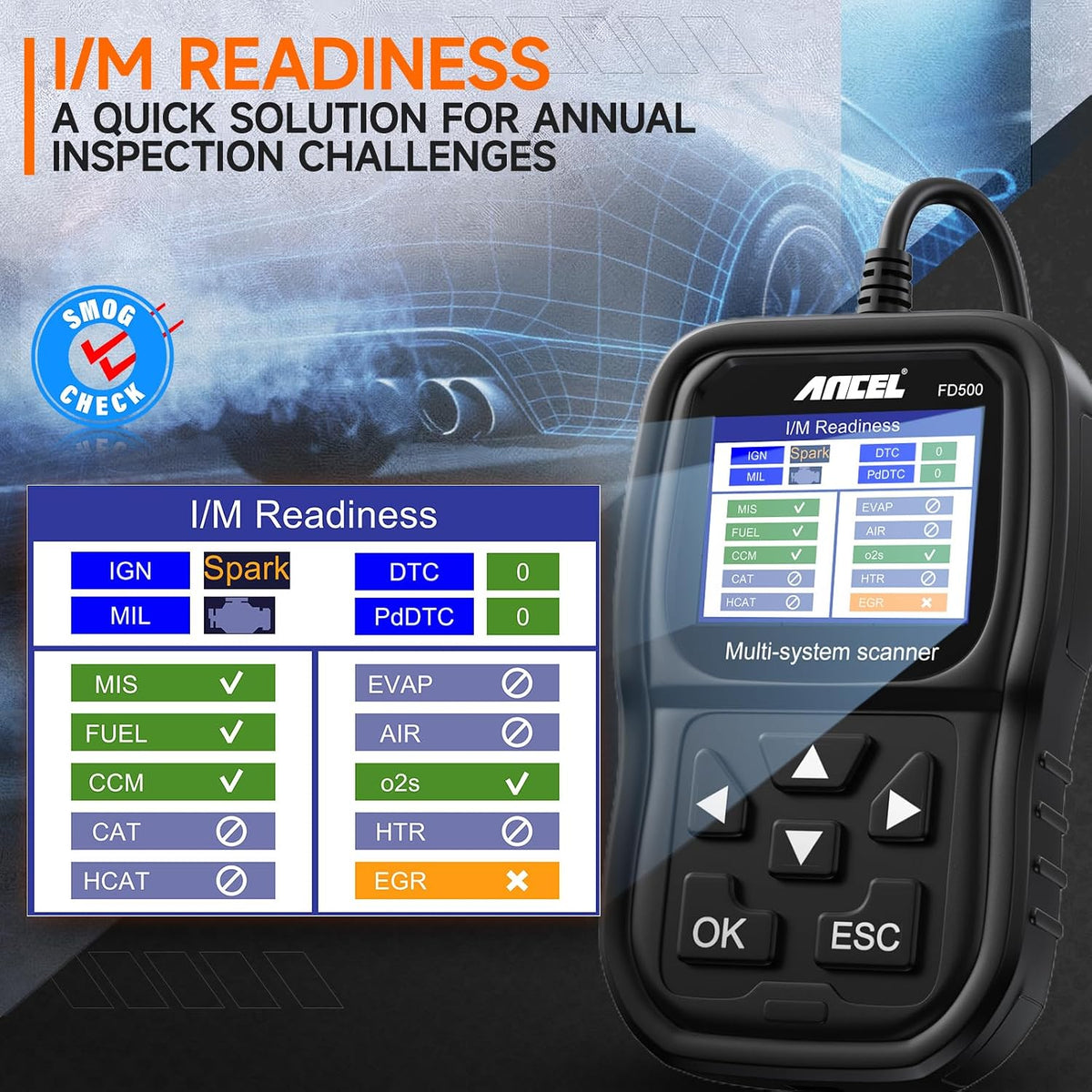
- Item Highlight : EPB, Throttle, Oil Resets; Full System Diagnostics for Engine, ABS, SRS, 4WD & More; I/M Readiness, OBD2 See more
- ANCEL develops professional diagnostic tools for cars and heavy-duty trucks, helping drivers and technicians diagnose with confidence.
- We strive to make friends with our customers with excellent products and quality services, and to be the company most trusted by our customers.
- To provide professional, efficient and high quality automotive diagnostic products so that every car owner around the world can enjoy a better life made possible by technology.
- The company constantly strives for product quality, technology, design and sustainability and adheres to the spirit of people-oriented and innovative efforts to make great contributions in the field of automotive technology.
- Yes,It will auto scan all controlled modules, including ABS, SRS, Engine, Transmission, EWS, CAS, ECM, ASC, EGS, EKPS, GWS, and more.
- 1.Connect the FD500 with the computer via USB cable 2.Log on to the ANCEL website (anceltech) and enter to the Download Center. 3.Select the product model of FD500 Click to download and update the software. 4.click Update and complete.
- Please note that battery registration function fit for Most Ford Group vehicles and only can be used to register battery with the same parameters.such as original battery, same type with same or big capacity battery.
- Why not work for my car?
- 1.Wrong model selection may disable features. Check vehicle nameplate.
- 2.Please check if your OBD port is working properly.
- 3. only supports 12V vehicles, OBD1 is not supported.
- If unsure, you can consult us or visit a repair shop.
- Why can not clear the codes for my car?
- 1. Fault codes can only be cleared after repairs. This tool diagnoses issues but doesn't fix them.
- 3. Remove any third-party devices that may interfere with the OBD signal.
- Why are the special functions not supported?
- In addition to ensuring you select the correct vehicle model, you also need to follow the normal operating procedure.
- If you have any questions, please refer to the relevant operation video on the product page or consult us.
Share