1
/
of
8
MOTOPOWER
MOTOPOWER MP69033 Car OBD2 Scanner Code Reader Engine Fault Scanner CAN Diagnostic Scan Tool for All OBD II Protocol Cars Since 1996, Yellow
MOTOPOWER MP69033 Car OBD2 Scanner Code Reader Engine Fault Scanner CAN Diagnostic Scan Tool for All OBD II Protocol Cars Since 1996, Yellow
Regular price
$40.48 USD
Regular price
Sale price
$40.48 USD
Shipping calculated at checkout.
Quantity
Couldn't load pickup availability
About This
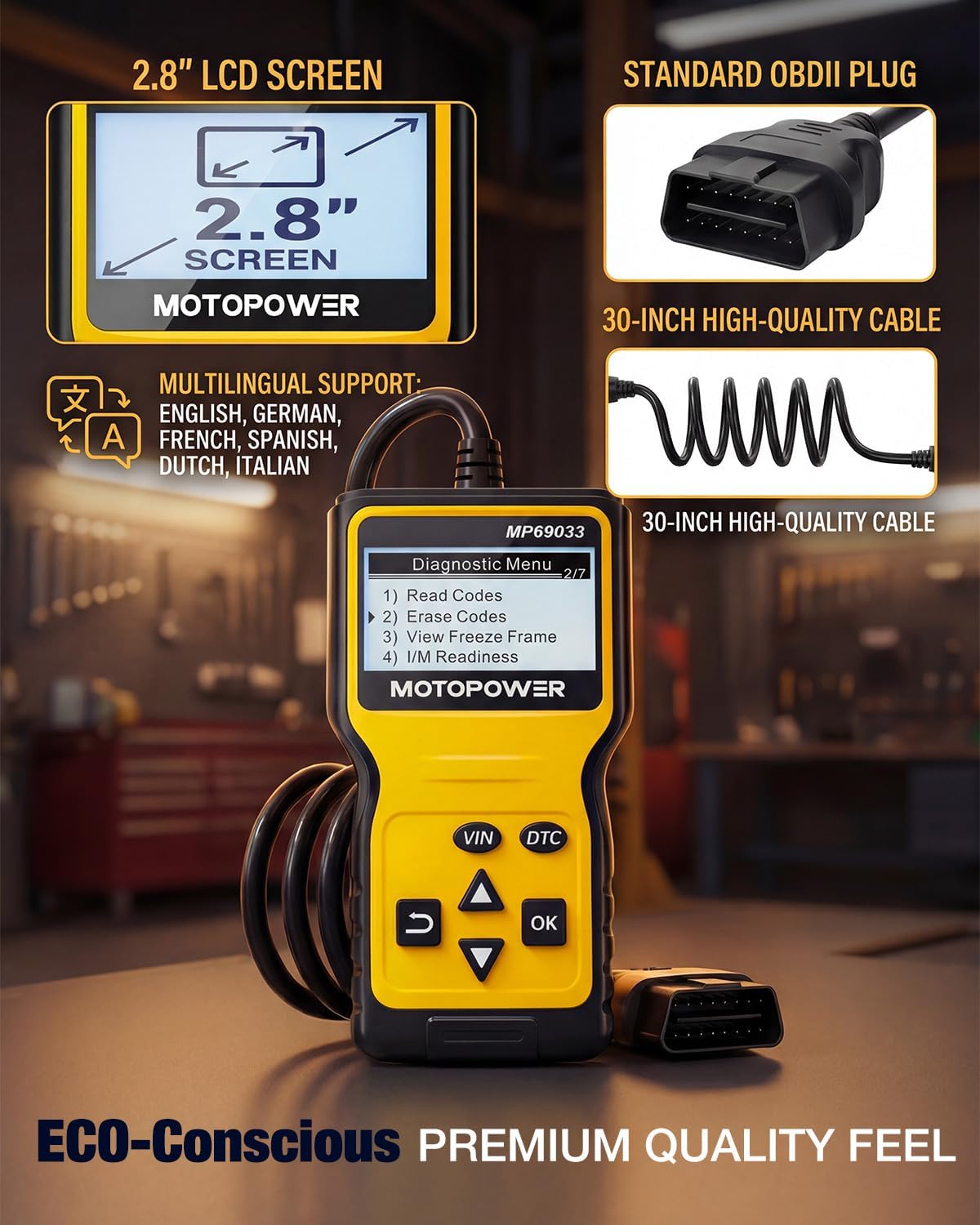
- Multi-Functions - Practical Multi-Functions OBD2 code reader features built-in OBD2 DTC lookup library, which help you to determine the cause of the engine light, read code, erase code, view freeze frame, I/M ready, vehicle information, data flow, real-time curve, get vehicle speed information, calculate load value, engine coolant temperature, get engine speed.
- Wide Capability - Supports 9 protocols compatible with most 1996 US-Based, 2000 EU-Based and Asian cars, and newer OBD II & CAN domestic or import vehicles. Supports 6 languages - English,German, Dutch, Spanish, French, Italian.
- 2.8" LCD Display - Designed with a clear display 2.8" Large LCD screen - white backlight and contrast adjustment. No need any battery or charger, OBD reader gets the power directly from your vehicle through the OBDII Data Link Connector.
- Compact Design - Car diagnostic scanner is equipped with a 2.5 feet long cable and made of a very thick flexible insulator.There are 6 buttons on OBD2 Scanner:scroll up/down,enter/exit and buttons that quick query VIN vehicle number& the DTC fault code.
- ABS / Airbag codes NOT Supported - It is able to read and clear check engine information which is part of OBDII system, but it cannot work with non-OBDII systems, including ABS / Airbag / Oil Service Light, etc.
- Screen Protecting Film - There’s a transparent screen protecting film on the screen surface. If any scratches on the film, just tear off the screen protecting film. If any more problem on the screen, just contact our customer service for replacement directly.
- Connection Guide - Plug the scanner into the OBDII port on your car, turn on the ignition and then press the OK button to make the connection. To view the live data, please start the engine. If connection failure, please contact motopower directly for assistance.
Overview
- Brand : MOTOPOWER
- Power Source : Battery Powered
- Operating System : Windows
- Screen Size : 2.7 Inches
- Visit our store for more products
- Car Code Reader and Scanner Scan and erase the fault codes
- Scan, Fix and Erase fault codes The latest diagnostic technology
- Scan, Fix and Erase fault codes More speed and powerful
- Quick Test the health of the battery/alternator A must-have tool in your tool box
- An essential solution for vehicle diagnostics and maintenance.
- Designed for both novice car owners and DIY enthusiasts, empowers you to take control of your vehicle’s health and save on costly mechanic fees.
- Compatibility Check Notice
- Check the vehicle compatibility before purchase.
- A battery or battery charger is not required. Once connected to your vehicle's 16-pin OBDII DLC → Click the DTC button → Diagnose the fault codes → Repair the vehicle problems → Clear the fault codes.
- OBDII Scanner - Classic
- OBDII Scanner - Upgrade
- OBD2 Scanner-Professional
- 4 in 1 Diagnostic Tool
- Battery Load Tester
- Digital Battery Tester
Share