1
/
of
8
Veepeak
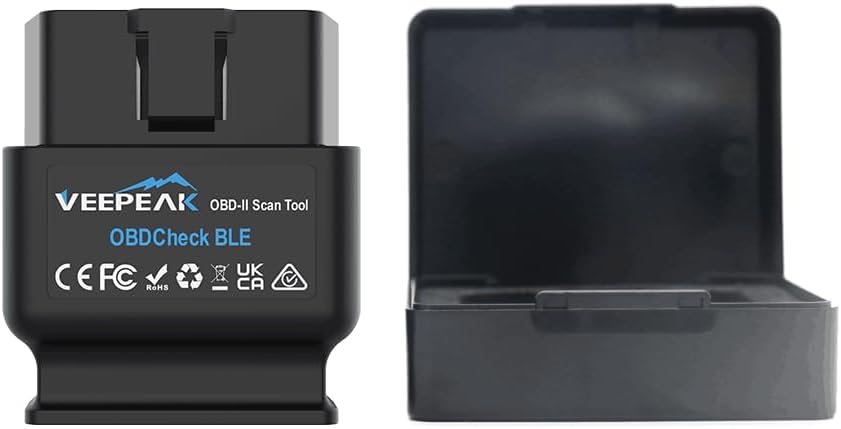
Veepeak OBDCheck BLE Bluetooth OBD II Scanner for iOS & Android, Car Wireless Check Engine Light Code Reader Diagnostic Tool
Veepeak OBDCheck BLE Bluetooth OBD II Scanner for iOS & Android, Car Wireless Check Engine Light Code Reader Diagnostic Tool
Regular price
$47.97 USD
Regular price
Sale price
$47.97 USD
Shipping calculated at checkout.
Quantity
Couldn't load pickup availability
About This
- NOTE: This device requires a compatible third-party app to operate and is primarily designed for standard OBD-II diagnostics (excluding ABS/SRS, oil light or service reset, etc.). Please check the product description for compatible apps and supported functions.
- GENERIC OBD-II FUNCTIONS – read & clear trouble codes for check engine light, view freeze frame data, I/M readiness, and live sensor data to help monitor vehicle health and diagnose check engine problems. (Make sure to download the correct App and avoid imitation apps that may require subscription)
- VEHICLE COMPATIBILITY – Works with most 1996+ cars and light trucks in the US for generic OBD-II functions. Support for EVs & hybrids is app-dependent; please check compatibility in Car Scanner App or contact Veepeak.
- EASY BLUETOOTH CONNECTION: Supports Bluetooth LE for iOS & Android (not WiFi): please connect from within the app after setting the correct connection type. Do not pair in the phone’s Bluetooth menu (especially for iOS devices). Android head units may not be supported.
- APP COMPATIBILITY: Compatible with generic Apps including Car Scanner ELM OBD2, Torque (for Android), OBD Fusion, as well as vehicle-specific Apps like BimmerCode*, BimmerLink*, OBD JScan, Dr. Prius, etc. Note: some Apps or in-App features require separate purchase from third party developers. NOT compatible with Carly, MHD, xHP, ProTool, bootmod3, etc.
- *APP LIMITATIONS: Model year before 2008 are not supported when used with BimmerCode or BimmerLink. In addition for BimmerCode, G & U series are not supported. MS-CAN NOT supported in FORScan and AlfaOBD App.
Overview
- Brand : Veepeak
- Power Source : OBD II Port
- Operating System : For iOS & Android (excluding head units)
- Automotive Fit Type : Universal Fit
- Smarter tools. Better drives.
- Car owners around the world deserve reliable tools and accessories for the vehicles they care about. At Veepeak, we work closely with automotive aftermarket experts and app developers to create smart, user-friendly diagnostic products. Our goal is to help drivers easily access important vehicle information, better understand their cars, and solve problems with confidence — all at a reasonable cost.
- The vehicle in your garage can be as smart as your phone. Turn your iOS or Android phone or tablet into a sophisticated diagnostic scan tool and real-time performance monitor. The OBDCheck BLE directly plugs into your vehicle and connects to an OBD II App on your iOS or Android device via Bluetooth. Whenever you have a check engine light on or want to see how your car is performing, it will be a very useful gadget for you.
- Is there an App included with the item? Do I need a subscription?
- You need to get a compatible third-party App from the App Store or Play Store. Be cautious of imitation apps with Torque or Car Scanner in their names. Only use the recommended apps to ensure proper functionality and avoid unnecessary charges.
- Which connection method does it use?
- It uses Bluetooth LE for iOS, and Bluetooth LE or Classic Bluetooth for Android. It does not support WiFi connection.
- How to connect on iOS and Android?
- Android: same as iOS if the App supports Bluetooth LE. Otherwise, pair the device in phone Bluetooth, then connect in the App.
- Which functions are supported?
- Generic OBD-II diagnostics (engine), live sensor data (standard PIDs), and I/M readiness. Additional vehicle-specific functions may be available through compatible third-party apps and vary by vehicle and app support. Please check compatible Apps.
- Does it work with electric vehicles?
- EVs do not have standard OBD-II systems so they require specific Apps to connect, for example Car Scanner ELM OBD2 (with the appropriate EV connection profiles), EVScanner, and not all of them are compatible (depending on the App support).
- 1. Device does not power up (no blue light).
- First check if the cigar fuse of your vehicle is in good condition to provide power. You can also try with another vehicle to verify.
- 2. When I try to connect “VEEPEAK” with my iPhone or iPad, it tells me it is not supported.
- You will see this error when trying to connect from iOS Bluetooth Settings. This device uses Bluetooth LE for iOS devices and requires connecting in the App. Please restart your iOS device so “VEEPEAK” shows up again, then start the OBD App and connect in the App (refer to the setup guide in product images or user guide).
Share